Best Calorie Tracker App in the USA 2026 — Free & Paid Options
We tested every major calorie tracking app for US users — checking food databases for American grocery brands, restaurant chains like Chipotle and Starbucks, Spanish language support, and free macro tracking.
What US Users Actually Need from a Calorie Tracker
The best calorie tracker app in the USA isn't necessarily the biggest name — it's the one that combines an accurate American food database with full macro tracking and a habit loop that keeps you logging. Most US users care about four things:
- US grocery brands — Great Value (Walmart), Kirkland Signature (Costco), Kroger, Trader Joe's, 365 by Whole Foods, Target Good & Gather
- US restaurant chains — McDonald's, Chipotle, Starbucks, Chick-fil-A, Taco Bell, Panera, Subway, Chili's
- USDA-grade nutrition data — the USDA FoodData Central database is the gold standard for whole-food accuracy in the US
- Spanish language support — relevant for the 42M+ Spanish-speaking US residents
We tested each app against these US requirements alongside the standard evaluation criteria: database breadth, UI speed, macro tracking, and barcode scanner accuracy.
Almost every major tracker has good US restaurant coverage — the US is the home market for MyFitnessPal, Lose It!, and Cronometer. So the deciding factor for American users isn't database size; it's whether macros are free and whether the app keeps you consistent. That's where the rankings below separate.
US Foods in the Database: What We Tested
We scanned 20 common US packaged products and searched 10 major restaurant menus to assess database coverage:
| US Food/Restaurant | NutriBalance | MyFitnessPal | Cronometer | Lose It! |
|---|---|---|---|---|
| Chipotle (build-a-bowl) | ✓ | ✓ | ~ Partial | ✓ |
| Starbucks (full menu) | ✓ | ✓ | ~ Partial | ✓ |
| Great Value (Walmart) products | ✓ | ✓ | ~ Some | ✓ |
| Trader Joe's items | ✓ | ✓ | ~ Some | ~ Some |
| Chick-fil-A menu | ✓ | ✓ | ✗ | ✓ |
| Kirkland Signature (Costco) | ✓ | ✓ | ~ Some | ~ Some |
| US barcode scanning (20 items) | 19/20 | 20/20 | 14/20 | 16/20 |
For US packaged foods and chain restaurants, NutriBalance and MyFitnessPal are essentially tied — both hit near-perfect coverage. Cronometer trails on commercial/packaged products (its strength is micronutrient accuracy on whole foods), while Lose It! is solid but a step behind on grocery brands.
Top 5 Calorie Tracker Apps for the USA in 2026
Cronometer
Cronometer is the best genuinely free calorie tracker for US users because it tracks full macros (protein, carbs, fat in grams) with no paywall and no trial required. It uses USDA FoodData Central and includes 80+ micronutrients free — including iron, vitamin D, and magnesium. Perfect for users who want clinical-grade accuracy without paying anything.
Pros
- Full macro tracking free — protein, carbs, fat in grams
- Comprehensive US database — Chipotle, Starbucks, Chick-fil-A, Walmart, Trader Joe's
- Spanish (Español) and French language support
- Home screen widget free
- Streak and league gamification — builds the daily habit
- Premium ≈ $8.49/month — less than half MyFitnessPal Premium
- 14-day free trial on premium
Cons
- Newer app — community smaller than MyFitnessPal's
- No Garmin/Fitbit sync yet
- Barcode database still growing (19/20 vs MFP's 20/20)
Best Paid Alternative If You Want Gamification
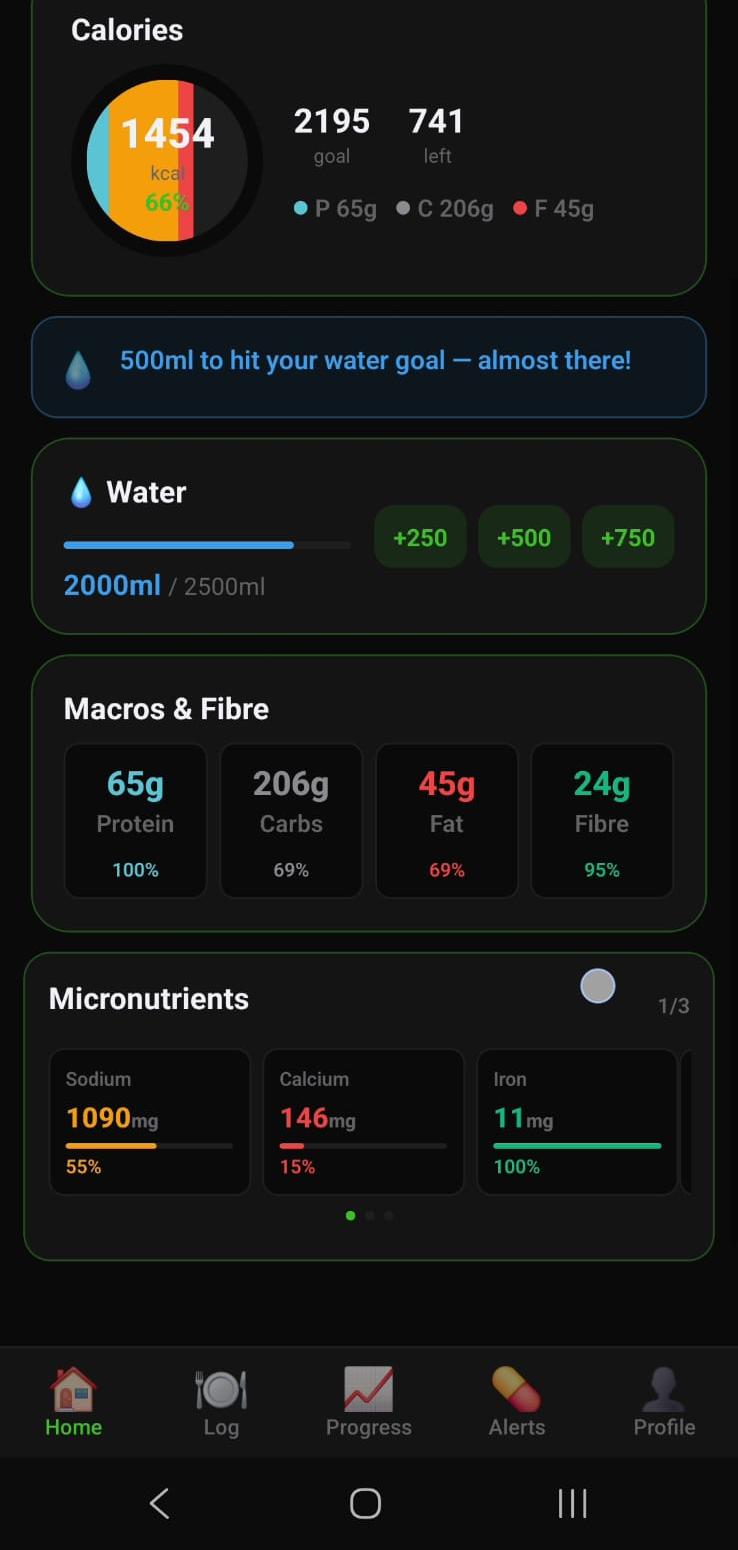
If Cronometer's free tier feels too minimal and you want gamification (streaks, leagues, daily missions) to keep you consistent, NutriBalance is a paid alternative worth trying.
NutriBalance
NutriBalance is not a free app — it's $12.99 AUD/month (~$8.49 USD/month) or $69.99 AUD/year (~$45.99 USD/year), with a 14-day free trial that requires a credit card upfront. During the trial and paid subscription, you get full macro tracking (protein, carbs, fat in grams), a 7M+ food database with good US coverage (Chipotle, Starbucks, Chick-fil-A, Great Value, Trader Joe's, Kirkland), barcode scanning (19/20 hit rate), home screen widget, Spanish and French language support, and a gamification system built around daily streaks and weekly leagues. No paywall between trial and paid — the same features are available in both.
Pros
- Gamification (streaks, leagues, missions) keeps you logging consistently
- Full macro tracking included in both trial and paid tiers
- Home screen widget included
- Spanish and French language support
- Much cheaper than MyFitnessPal (~$8.49 USD vs ~$19.99 USD/month)
- Strong US food database and barcode coverage
Cons
- No permanently free tier — requires card and auto-converts to paid after 14 days
- Smaller database than MyFitnessPal (19/20 vs 14M+ entries)
- No micronutrient tracking (use Cronometer for periodic checks)
- No Garmin/Fitbit sync
Try free for 14 days on Android Try free for 14 days on iOS
MyFitnessPal
MyFitnessPal is the most established US tracker, with the largest food database (14M+ entries) and near-perfect American coverage. The catch for free users is the macro paywall: protein, carbs, and fat tracking now requires MyFitnessPal Premium at $19.99/month or $79.99/year. If you only want calorie counts, the free tier works. If you want macros — which most people should track — that's $80–240/year.
Pros
- Best US database — 20/20 barcode coverage
- Syncs with Garmin, Fitbit, Apple Health, Strava
- Recipe importer and huge restaurant database
- Spanish language support
Cons
- Macros paywalled — $19.99/month or $79.99/year
- Heavy ads on free tier
- No gamification or streak system
Cronometer
Cronometer is built on USDA FoodData Central and the NCCDB, making it the most accurate US option for micronutrient tracking — 80+ vitamins and minerals on the free tier. If your goal is clinical-grade nutrition (iron, vitamin D, magnesium, omega-3s), nothing beats it. The weakness is packaged and restaurant food coverage, which lags significantly behind MFP and NutriBalance.
Pros
- USDA FoodData Central — most accurate US whole-food data
- 80+ micronutrients tracked free
- No paywall on core tracking
- Best for clinical/medical nutrition goals
Cons
- Weaker packaged/restaurant coverage (14/20 barcodes)
- Slower, more clinical UI
- No gamification or habit features
- No free home screen widget
Lose It!
Lose It! is a clean, US-built tracker with a strong onboarding flow and a good barcode scanner (16/20 on common products). Macro tracking requires Premium at $39.99/year — cheaper than MyFitnessPal, more than NutriBalance. The Snap It photo feature is a nice extra. Solid all-rounder, just without free macros or a deep habit system.
Pros
- Clean, beginner-friendly UI
- Premium cheaper than MFP ($39.99/year)
- Snap It photo logging
Cons
- Macros paywalled
- No Spanish language support
- Basic streak only — no league/gamification
Carbon Diet Coach
Carbon Diet Coach is a premium-only US app (~$14.99/month) from Dr. Layne Norton. It auto-adjusts your calorie target weekly based on your weigh-ins — bumping calories up if you're losing too fast, down if you've stalled. Genuinely useful for experienced trackers who've plateaued, but there's no free tier and the database is smaller than MFP or NutriBalance.
Pros
- Adaptive weekly calorie targets
- Science-based design by a credentialed scientist
- Great for plateaued, experienced users
Cons
- No free tier — paid only (~$15/month)
- Smaller food database
- Overkill for beginners
Full Feature Comparison for the USA
| Feature | NutriBalance | MyFitnessPal | Cronometer | Lose It! | Carbon |
|---|---|---|---|---|---|
| Monthly cost (USD) | Free / ≈$8.49 | Free / $19.99 | Free / $8.99 | Free / ≈$3.33 | ≈$14.99 (paid only) |
| Full macros on free tier | ✓ | ✗ Paid | ✓ | ✗ Paid | N/A |
| US barcode coverage | 19/20 | 20/20 | 14/20 | 16/20 | ~13/20 |
| Chipotle / Starbucks menus | ✓ | ✓ | ~ Partial | ✓ | ~ Partial |
| Spanish language | ✓ | ✓ | ✗ | ✗ | ✗ |
| Home screen widget | ✓ | ✗ Paid | ✗ | ✗ | ✗ |
| Streak / gamification | ✓ Full system | ✗ | ✗ | ~ Basic streak | ✗ |
| Overall rating (US) | A (paid) | C+ (macros locked) | B (great micros, weak packaged) | C+ | N/A |
USDA Guidelines and Calorie Targets
The USDA Dietary Guidelines for Americans estimate daily calorie needs as follows:
| Profile | Sedentary | Moderately Active | Very Active |
|---|---|---|---|
| Women 19–30 | 1,800–2,000 kcal | 2,000–2,200 kcal | 2,400 kcal |
| Women 31–50 | 1,800 kcal | 2,000 kcal | 2,200 kcal |
| Men 19–30 | 2,400 kcal | 2,600–2,800 kcal | 3,000 kcal |
| Men 31–50 | 2,200 kcal | 2,400–2,600 kcal | 2,800–3,000 kcal |
A 500 kcal daily deficit produces roughly 1 lb of fat loss per week — the standard, sustainable approach. NutriBalance calculates your personal target automatically during onboarding and adjusts your daily budget, so you never have to compute your TDEE by hand.
Spanish Language Support
With more than 42 million Spanish-speaking US residents, in-app Spanish matters for a large share of American users. Here's how the apps compare:
- NutriBalance — Full Spanish (Español) and French UI in Settings → Language.
- MyFitnessPal — Spanish UI supported.
- Cronometer — English only.
- Lose It! — English only.
- Carbon — English only.
Our Verdict: Best Calorie Tracker for the USA 2026
Cronometer is the best genuinely free calorie tracker for US users — full macros free, 80+ micronutrients free, and no paywall ever. If you want gamification (streaks and leagues) to keep you consistent and don't mind paying, NutriBalance is a solid paid alternative at $12.99 AUD/month (~$8.49 USD) with a 14-day free trial (card required). If you specifically need Garmin or Fitbit sync, use MyFitnessPal but expect to pay $19.99/month for macros.
Try Cronometer Free