Best Offline Calorie Tracker App 2026 — No Internet Required
Travelling, hiking, or stuck with patchy data? We tested which calorie apps actually work without Wi-Fi or mobile data.
What's on this page
You're at a campsite in the mountains. No cell signal. You pull out your calorie tracker to log your trail mix — and the app just spins. You tap the barcode scanner. It can't search the database. You try to add a custom food. It demands a sync. You give up and eat guesswork for three days.
Most calorie tracker apps were built assuming you're always online. The food database is server-side. Barcode lookups hit an API. Even syncing your diary requires a connection. For travellers, hikers, people in rural areas, or anyone on a limited data plan, this is a real problem.
This guide tests which apps actually work offline — and which ones just claim to.
Why Offline Mode Matters More Than You Think
Offline tracking isn't a niche edge case. Here's who actually needs it:
- International travellers — roaming data is expensive; you might use Wi-Fi only at the hotel
- Hikers and campers — multi-day trails with zero coverage
- Gym-goers on limited data — underground gyms, rural areas, data-capped plans
- Students on cheap SIMs — throttled after 5 GB, unusable for API calls
- Anyone flying — 8-hour flights with no Wi-Fi still have meals to log
- Developing countries — inconsistent LTE; downloading a database upfront is safer
Many apps advertise offline logging but only let you log foods you've already searched while online. If you want to log a new food on the plane, tough luck — the barcode lookup and food search both require internet. True offline means a local database you can search without any connection.
What "Offline" Actually Means for a Food App
There's a big difference between apps that have any offline capability and apps with full offline functionality. Here's how we graded them:
| Offline tier | What it means | Good for |
|---|---|---|
| Full offline | Local food database, barcode scan, food search, custom foods — all work with zero connection | Hiking, travel, no data plan |
| Partial offline | Can log recent/custom foods offline; barcode + new food search needs internet | Gym with spotty signal, short trips |
| Cached-only offline | Only previously accessed foods available; nothing new can be searched | Very consistent diet; regular foods only |
| Online-only | Requires internet for all features including logging | Not useful offline at all |
Top 5 Offline Calorie Tracker Apps (2026)
NutriBalance caches a local subset of the Open Food Facts database on first launch, which means common foods are searchable without any internet connection. Once you've searched and logged a food once, it's stored locally forever — including full macros and calories. Custom foods are stored entirely on-device and never require a server round-trip.
The barcode scanner works offline for any food that's been previously looked up. The app queues diary syncs and fires them when you reconnect — so no entries are lost during multi-day offline use. The home screen widget updates from local data, making it genuinely useful without a connection.
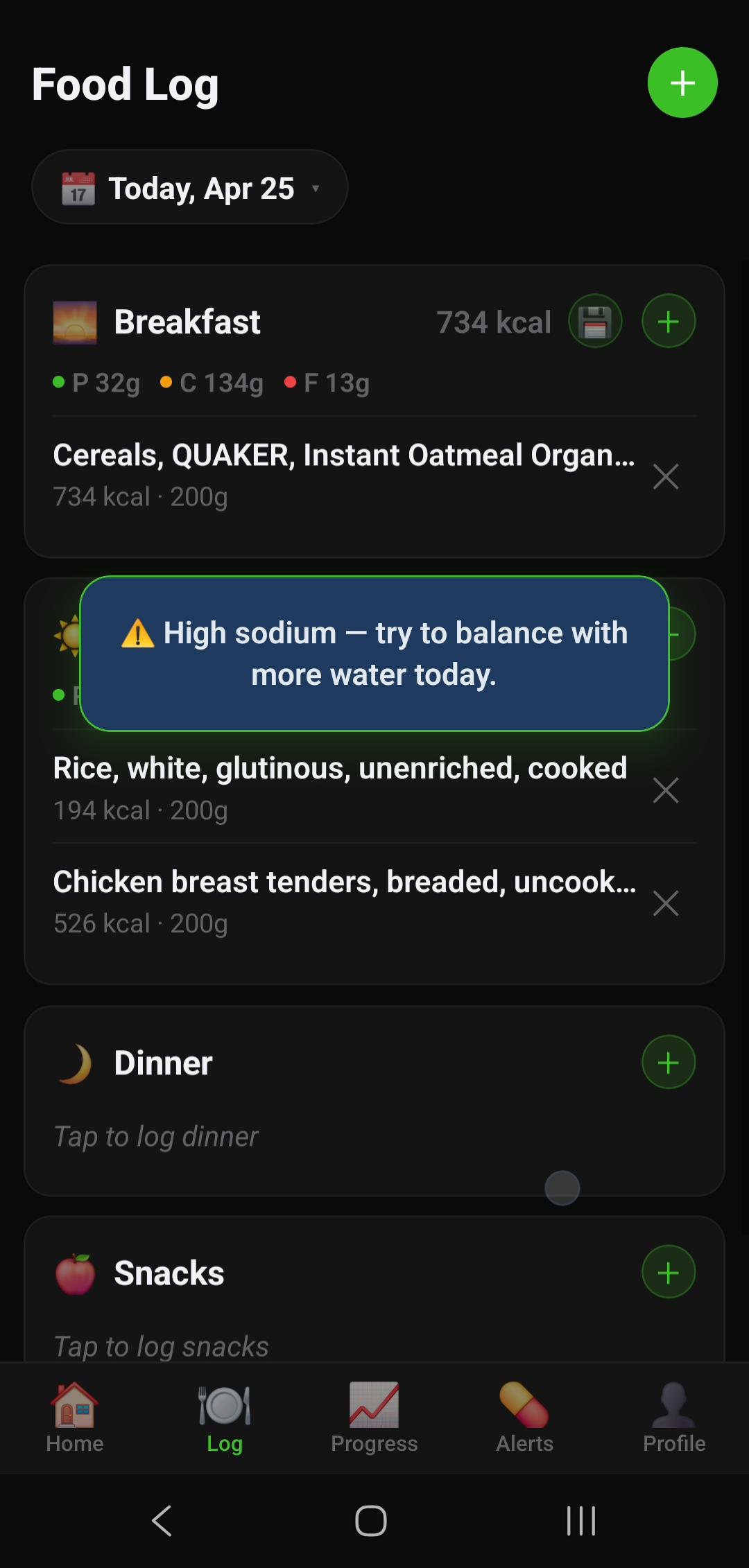
Included in the paid plan: calories, protein, carbs, fat, all fully offline after initial sync — offline access isn't gated behind a separate upsell. The daily streak system works locally too — losing connection doesn't break your streak. 14-day free trial, then $12.99 AUD/month or $69.99 AUD/year.
Pros
- Local database cached on first launch
- Custom foods stored fully on-device
- Barcode scan works for cached foods
- Widget updates from local data
- Streak & goals preserved offline
- Offline access included — not a separate paywalled tier
- 14-day free trial before you're charged
Cons
- No permanently free tier — card required for the trial
- New barcode lookups need internet (first time only)
- Friend leaderboard requires connection
- AI food analysis features need internet
Cronometer's strength is micronutrient depth — it tracks 80+ nutrients including amino acids, vitamins, and minerals. For offline use, Cronometer caches the USDA database locally, meaning whole foods (chicken breast, broccoli, eggs, oats) are fully searchable without internet. Branded/packaged foods that aren't in USDA may need a connection.
Custom foods and recipes created online are synced to the app and available offline once downloaded. The free Gold trial gives full access — once it expires, the free tier still allows offline logging of USDA foods and your custom entries.
Pros
- USDA database cached locally
- Custom recipes available offline
- Micronutrient tracking works offline
- Good for whole-food dieters travelling
Cons
- Branded/packaged foods need internet
- Barcode scan requires connection
- Free tier limited on mobile (desktop better)
- Less useful if you eat many packaged foods
MFP has the largest food database of any tracker app — over 18 million entries. The good news for offline use: recently logged foods and your "frequent foods" list are cached locally. If you eat reasonably consistent meals, you'll find everything you need in your recent history without a connection.
The bad news: MFP's offline mode is explicitly "recent foods only." Food search and barcode scanning both require internet. For travels where you're eating new foods (restaurant meals, local cuisine), MFP will fail you. For repeat meals — home cooking, your regular lunch — it holds up reasonably well.
Pros
- Recent/frequent foods cached automatically
- Large food list means more local cache hits
- Quick-add calories works offline
- Premium gets more offline features
Cons
- Food search requires internet
- Barcode scan requires internet
- Macro details (protein) paywalled on free
- Not suitable for logging new foods offline
Lose It! caches your logged food history and allows re-logging from your diary history without a connection. It also supports custom meals that are stored locally. The app doesn't require a constant connection to display your stats, macros, or progress charts once data is synced.
However, new food searches and barcode scanning require internet, same as MFP. The free tier limits offline functionality somewhat — premium unlocks meal planning features that sync better for offline use.
Pros
- Diary history re-logging works offline
- Custom meals cached locally
- Stats and charts available offline
- Clean UI makes offline use frustration-free
Cons
- New food search needs internet
- Barcode scan needs internet
- Full meal plans require premium
FatSecret is completely free with no paywall, which gives it a practical advantage for offline use — you're not paying for features that get restricted offline. The app caches your food diary and recently accessed foods. Community-contributed food data is extensive, and frequently-eaten foods will be in your local cache after a few weeks of use.
Like most apps, new barcode scans and fresh food searches need a connection. But as a free, no-subscription option that doesn't restrict any features, it's worth considering if you want a long-term offline-capable tracker at zero cost.
Pros
- Completely free — no subscription
- Recent food diary accessible offline
- Large community food database
- No feature paywalls to worry about
Cons
- New searches require internet
- UI is dated compared to competitors
- Less polished offline experience
- Barcode scan requires connection
Feature Comparison Table
| Feature | NutriBalance | Cronometer | MyFitnessPal | Lose It! | FatSecret |
|---|---|---|---|---|---|
| Local database cached | ✓ Yes | ✓ USDA | ~ Recent only | ~ History only | ~ History only |
| Food search offline | ✓ Cached foods | ✓ USDA foods | ✗ Needs internet | ✗ Needs internet | ✗ Needs internet |
| Barcode scan offline | ✓ Cached barcodes | ✗ Needs internet | ✗ Needs internet | ✗ Needs internet | ✗ Needs internet |
| Custom foods offline | ✓ On-device | ✓ After sync | ✓ After sync | ✓ After sync | ✓ After sync |
| Streak preserved offline | ✓ Local | ~ Syncs on reconnect | ~ Syncs on reconnect | ~ Syncs on reconnect | ✓ Local |
| Widget works offline | ✓ Local data | ✗ No widget | ~ Limited | ~ Limited | ✗ No widget |
| Free tier | ✗ Paid (14-day trial) | ✓ Limited free | ~ Macros paywalled | ~ Limited free | ✓ Fully free |
| Offline tier rating | Full offline | Partial offline | Cached-only | Partial offline | Partial offline |
When You'll Actually Need Offline Tracking
Multi-day hiking and camping
This is the most demanding offline scenario. No cell coverage for days, eating trail food, energy bars, and camp cooking. You need a fully local database that includes common outdoor foods. NutriBalance's local cache handles this well if you've searched those foods before the trip. Pro tip: before a multi-day hike, open the app and manually search every food you'll be eating — that pre-loads the data locally.
International travel (data-free)
When you arrive in a new country without an international SIM, you might have Wi-Fi at your hotel and nowhere else. This is "partial offline" territory — you can sync at the hotel each morning and then log all day without connection. MFP and Lose It! handle this reasonably well with their "recent foods" approach, since you'll be re-logging similar meals.
Before any trip where you'll have limited connectivity: open your tracker and log a meal using every food you plan to eat. This forces the app to cache those foods locally. For NutriBalance, also scan the barcodes of any packaged foods you're bringing — it stores barcode lookups locally after the first scan.
Flights
8-hour flight, no Wi-Fi, you're logging in-flight meals and snacks. This is where cached-only apps like MFP struggle unless you're eating the same airline food you've logged before. Custom foods created pre-flight work for all apps. For consistency, create meal presets for "aeroplane meal" options before boarding.
Gym with underground or no coverage
Many gym facilities have poor mobile reception. Post-workout logging is common — you finish your session and want to log your protein shake immediately. Most apps handle this fine since your protein shake is likely already in your recent foods. The issue arises if you're trying a new supplement or food — that lookup will fail.
Rural areas and regional Australia
Parts of regional NSW, Queensland, and WA have genuinely patchy 4G. If you're on a 2-week road trip through the Outback, your calorie tracker needs to work with zero signal for stretches. NutriBalance's local caching approach is specifically designed for this.
Tips for Tracking Without Internet
1. Build your local library before you go offline
Every food you search and log gets cached locally. Spend 15 minutes logging your typical meals before a trip — that builds a personal local database of your most-used foods. When you go offline, those foods are instantly available.
2. Use custom foods for everything you'll eat repeatedly
Create custom food entries for your go-to travel snacks, homemade trail mix, or regular camp meals. Custom foods in all the apps above are stored on-device after creation. You only need internet once to create them.
3. Create meal presets for common combinations
Most apps let you save meals (a combination of foods). Pre-build "trail breakfast," "lunch wrap," "camp dinner" as saved meals. Log these with one tap offline — no searching needed.
NutriBalance stores barcode scan results locally after the first lookup. Before a camping trip, scan every item you're packing — energy bars, protein powder, nuts, cooking ingredients. All those barcodes will be in local cache and scannable without any connection during the trip.
4. Quick-add calories when food data isn't available
All five apps have a "quick-add calories" option that works fully offline — you type a calorie number without identifying the specific food. Not ideal, but better than losing track entirely. Use this for restaurant meals where you can't look up the exact dish.
5. Sync when you get Wi-Fi; don't rely on mobile data
Configure your tracker to sync only on Wi-Fi. This conserves mobile data and ensures you're not hitting server-side APIs mid-session in poor coverage areas. All five apps support Wi-Fi-only sync in settings.
6. Don't rely on AI features offline
AI meal analysis, photo food recognition, and AI-generated meal plans all require a server call. These features will not work without internet — don't build your offline tracking workflow around them. Stick to barcode scanning (cached) and manual search (cached).
| Scenario | Best app | Why |
|---|---|---|
| Multi-day hiking, zero signal | NutriBalance | Local cache + barcode cache + widget; pre-load foods before trip |
| International travel, hotel Wi-Fi only | NutriBalance / MFP | Sync at hotel; log repeat meals offline; MFP for larger food variety |
| Whole foods diet, minimal packaged food | Cronometer | USDA database cached locally; great for chicken/veg/fruit/eggs offline |
| Consistent meal routine, same foods daily | Any app | Recent foods cache covers regular meals on any app |
| Fully free, no subscription ever | FatSecret | Genuinely free with no paywall; NutriBalance has better UX and widget but is a paid app (14-day trial) |
| Travelling with micronutrient needs | Cronometer | Offline USDA database includes vitamins/minerals for whole foods |
The Verdict
For most people who need a truly offline-capable calorie tracker, NutriBalance is the best option — it caches a local food database on first launch, stores barcode lookups after the first scan, and keeps your streak and goals working locally ($12.99 AUD/month or $69.99 AUD/year, 14-day free trial). If you want a genuinely free offline option, FatSecret is the strongest pick. If your diet is primarily whole foods (USDA-covered), Cronometer is a strong runner-up with its locally cached USDA database and free micronutrient tracking.
Try NutriBalance Free for 14 Days →FAQ
Related: Best Calorie Tracker for Women · Free Calorie Trackers With No Subscription · Best Calorie Deficit App for Android